

Sheets in the SaaS financial model
If you want to quickly understand what is in the SaaS model, here are all the sheets and a brief explanation so you know what is in the model.
- Detailed look at the model architecture
- Each sheet with one-line summary

Detailed Look at the SaaS Model Architecture
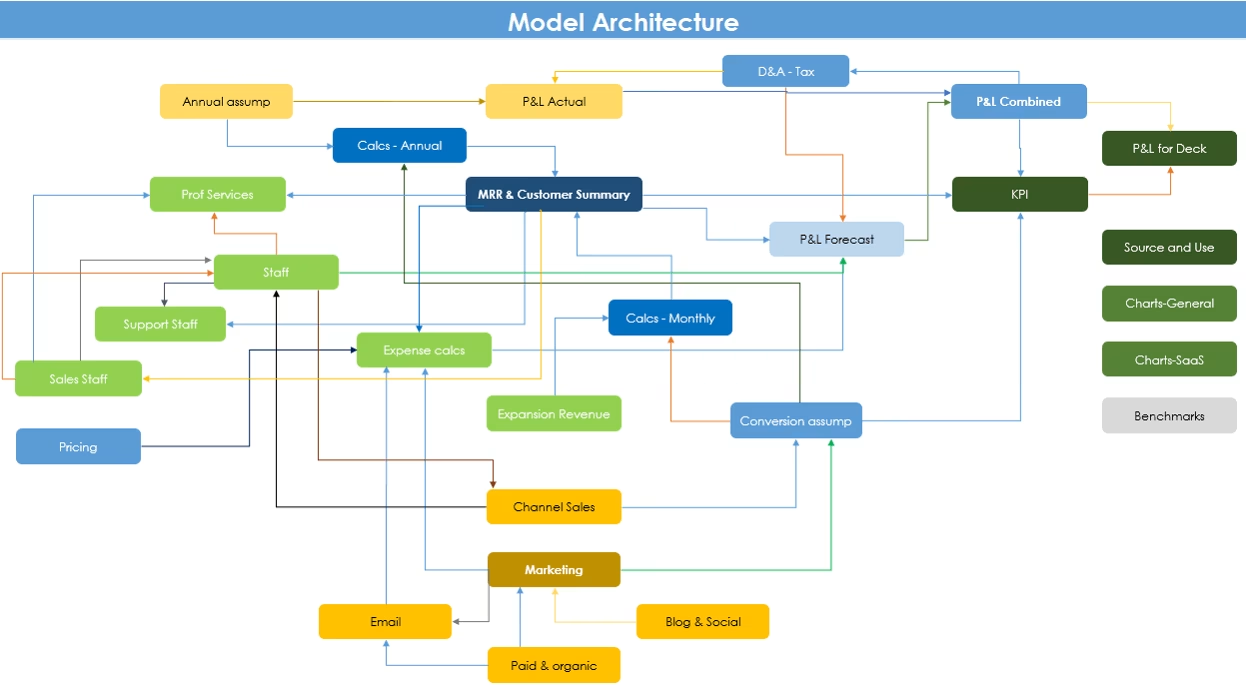
Summary of all the sheets
This is a one-liner explanation of what is in each sheet.
| Sheets | Comment |
|---|---|
| Formatting | Input your model start dates and basic formatting assumptions |
| P&L Forecast | Detailed forecast P&L of your startup. Output of all your assumptions |
| P&L Actual | This is the P&L of your actual numbers. Put in your actuals and they get represented in your combined P&L |
| P&L Combined | This combines the forecast and actual sheets together |
| Annual assumptions | The allows you to input your historic annual contracts so that they can renew on the proper dates |
| D&A - Tax | Calculate your depreciation (there is no amortisation) and your tax simply |
| P&L for Deck | This combines the summary forecast and actual sheets together for the first 12 months and for 3 years annual to insert in your pitch deck |
| KPI | A detailed summary of all your KPIs |
| Source and Use | Use this to figure out how much to raise and to present your 'sources and use' of money you raise in your 'ask' slide |
| Charts-General | Summary of charts from across sheets other than SaaS metrics |
| Charts-SME SaaS | Charts of SaaS metrics. All the ones David Skok (Matrix) recommends are in it |
| Staff | Forecasts for all staff (Other than customer support related staff), and all the related staff and G&A costs |
| Expense calcs | Calculates your customer care related and technology costs, which aren't calculated directly in the Staff sheet |
| SME - Support Staff | Calculates for internal engineering, customer support & success staff automatically on the basis of customer forecasts |
| Sales Staff | Forecasts your sales staff requirement automatically on the basis of your sales forecasts |
| SME - Expansion Revenue | Calculate the expansion revenue using either by an additional seats, or new modules basis |
| SME Prof Services | If you have professional services, calculate the cost and revenue. Can use if you want to have onboarding costs alternatively |
| SME Pricing | Input your pricing assumptions for revenue. Pick from different business models |
| MRR & Cust Summary | A summary of your MRR and Customer calculations (The calculations in the monthly and annual sheets are long) |
| SME Conversion assump | All the assumptions that drive your for SME revenue calculations |
| SME Calcs - Monthly | Calculate the normal, monthly portion of your MRR/Bookings for SME revenue |
| SME Calcs - Annual | Calculate the annual, up-front payment portion of your MRR/Bookings for SME revenue |
| Marketing | Centralises the marketing data and applies conversion rates to create 'trial users' of your site (Which then buy). This is only for SME revenue. There is no link to enterprise revenue per se |
| Paid & organic | Organic growth and paid traffic to the site. Feeds to the traffic build in 'Marketing' |
| Calculates the sign ups to your email database. Feeds to the traffic build in 'Marketing' | |
| Blog & Social | Calculates the traffic that comes from promotion activities by blogging and social media. Feeds to the traffic build in 'Marketing' |
| Channel Sales | Calculates the leads from channel partners and supporting staff costs. Feeds to the traffic build in 'Marketing' under leads and in the staff costs |
| Benchmarks | Some publicly available SaaS metrics to use to benchmark your assumptions as an FYI |
Purchase
SaaS Financial Model
Ideate, operate, scale, and fundraise in the world’s best Excel model which will help you take back control of your finances and drive you to the next level.
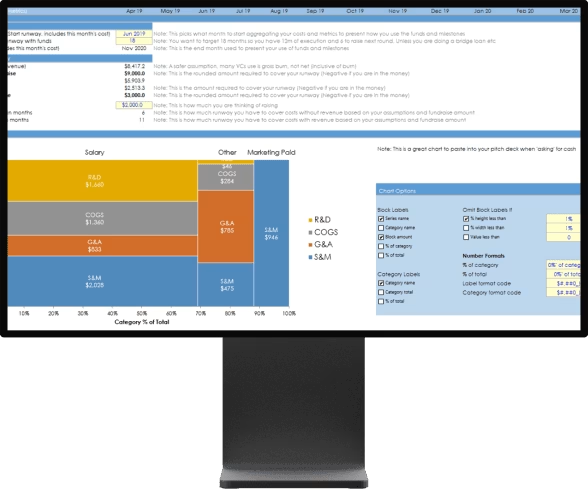
What’s inside
- Most complete model on the internet
- An integrated model to automate away work
- Hours of video education
- Lifetime updates
- Support and customisation
- Money back guarantee


