Wait! Just one thing to do now
You need to confirm to be subscribed!
You will receive an email immediately.
Open it and hit the confirm button!
It looks like this:
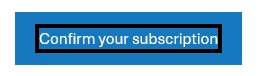
Why?: If you don’t confirm you won’t receive any emails!

Is your email in the spam folder?
Make sure to move it to your primary inbox.
I explain simply how to do so on the right:
Gmail
- Phone: Hit the 3 dots at top right corner, click “Move to” then “Primary.”
- Computer: Back out of this email then drag and drop this email into the “Primary” tab near the top left of your screen.
Apple mail
- Tap on our email address at the top of this email (next to “From:” on mobile) and click “Add to VIPs.”
Other?
- Check out this link for instructions
still Confused about what to do?
Details to confirm your email
Wait for your confirmation email
You should receive an email immediately! Email tool providers require a “double opt-in” so you get an email to confirm you didn’t sign up by accident. This is to prove you aren’t being spammed which everyone hates! Didn’t get an...
Read MoreSmack the confirm button in the email
You will receive a brief email. In the middle will be a big blue button that looks like this: Press it. A webpage will open to confirm you are done. Can’t press the button? There may be security settings...
Read More
Check if the email is in the spam folder!
If this email is in the spam or promotions folder make sure to move it to your primary inbox. Here’s how to do it: Gmail Phone: Hit the 3 dots at top right corner, click “Move to” then “Primary.” Computer:...
Read MoreDone
If you joined up for my newsletter, you are done! Trying to download something and stuck? Downloads to your download folder If you signed up for a free tool, then once you hit “confirm” it will automatically open up...
Read MoreSay Hello!
I love to get to know smart people, so tell me about you! If you would like to apply for consulting, you can easily reach out now.
Read More