

Key features in the ecommerce financial model
Model key features
An insightful and useful model needs to work for you, not against you.
My models do require thought on inputs, but I walk you step by step with everything you need to do to support you to derive all the outputs that you need without any coding.

- Fully integrated model: Changes in one sheet flow through the whole model automatically
- Logical flow: Expenses, marketing, and revenue are all segmented so they connect logically
- P&Ls: Actuals and forecasts have their own P&Ls. These are then combined into a ‘combined sheet’ so you can see the progress month to month
- Other: Charts and KPIs have their own sheets
Formatting sheet
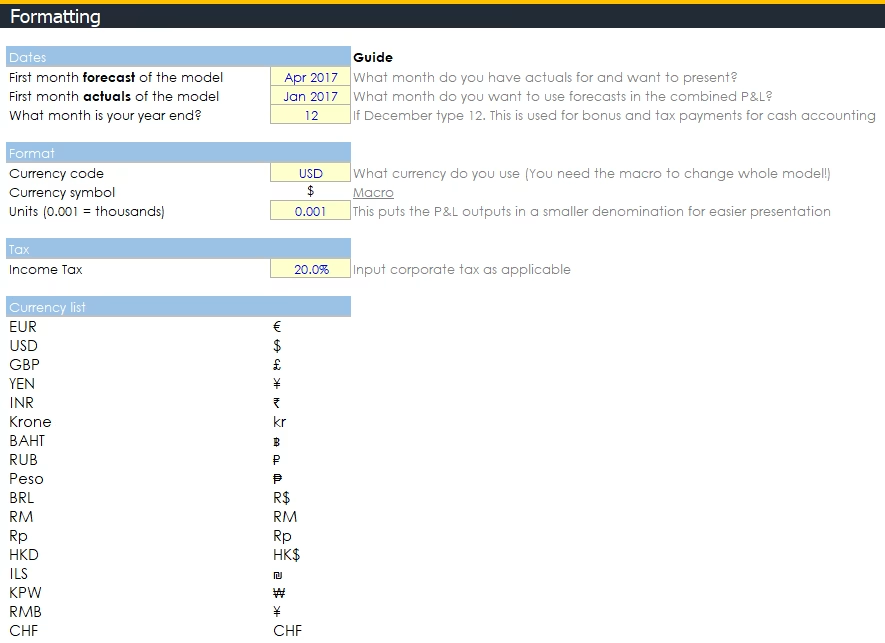
- Actual start: You can add up to 11 months in the actual sheet (12m is a historic, right?)
- Forecast date: Forecast sheet has 36 months of forecast
- Constantly update your model: I spent 2 weeks just figuring out a way to constantly update your model. You start with your Actual start date, then you can move your forecast month forward as time goes by. You then add your new actual month in
- Month end: Set your month end. Your annual bonus, tax etc will be paid out that month in the CFS, but accrue in the P&L as usual
- Currency change: With my plugin, you can switch to all the currencies you can see in the list
Detailed Profit and Loss statements

- 3 P&L sheets: Actual, forecast and combined. The combined presents actual to forecast together
- Non key assumptions in line: If you want to add discounts, cancellations and bad debt, you can easily add in a percentage in line
- Fundraising: When you plan on raising money, you just input the amount into your cash balance
- Accounting and cash flow: Two main parts. The main part follows normal accounting practices (There is a sheet for Tax to manage NOLs as well as depreciation following Investment Banking standards). The bottom of the sheet converts accounting to operating cash flow so you know when money is actually going in and out. There will be an update with an integrated Balance Sheet and CFS the guys are working on, but you don’t really need it as you aren’t a bank
- Complex adjustments: Bonuses are paid on year-end in cash flow, but accrue in the P&L. Same for tax. Accrued bonuses from actuals are factored into your forecast for when they need to be paid
- Bookings, billings and revenue: All revenue types are ‘accounted’ for
- Grouping: Note the + buttons on the left. There’s 209 rows you can group and ungroup like all of the sheets. The image above is the grouped one
Depreciation and tax
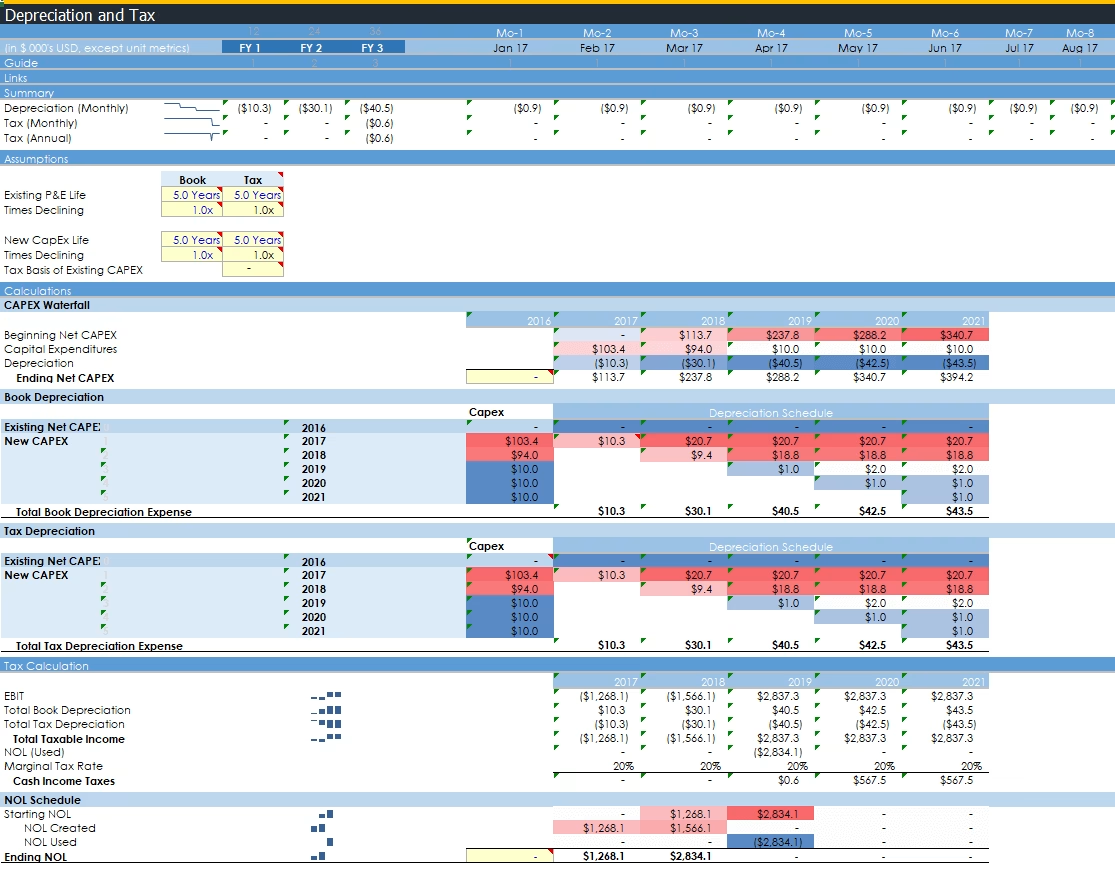
- Control depreciation and tax: Simply manage the boring accounting bits with only a few assumptions like an M&A banker would
- Depreciation: Accounting for depreciation
- Tax: Calculate when you need to actually pay tax. Net Operating Losses (NOL) accounted for
Logistics, payment, and tech expenses
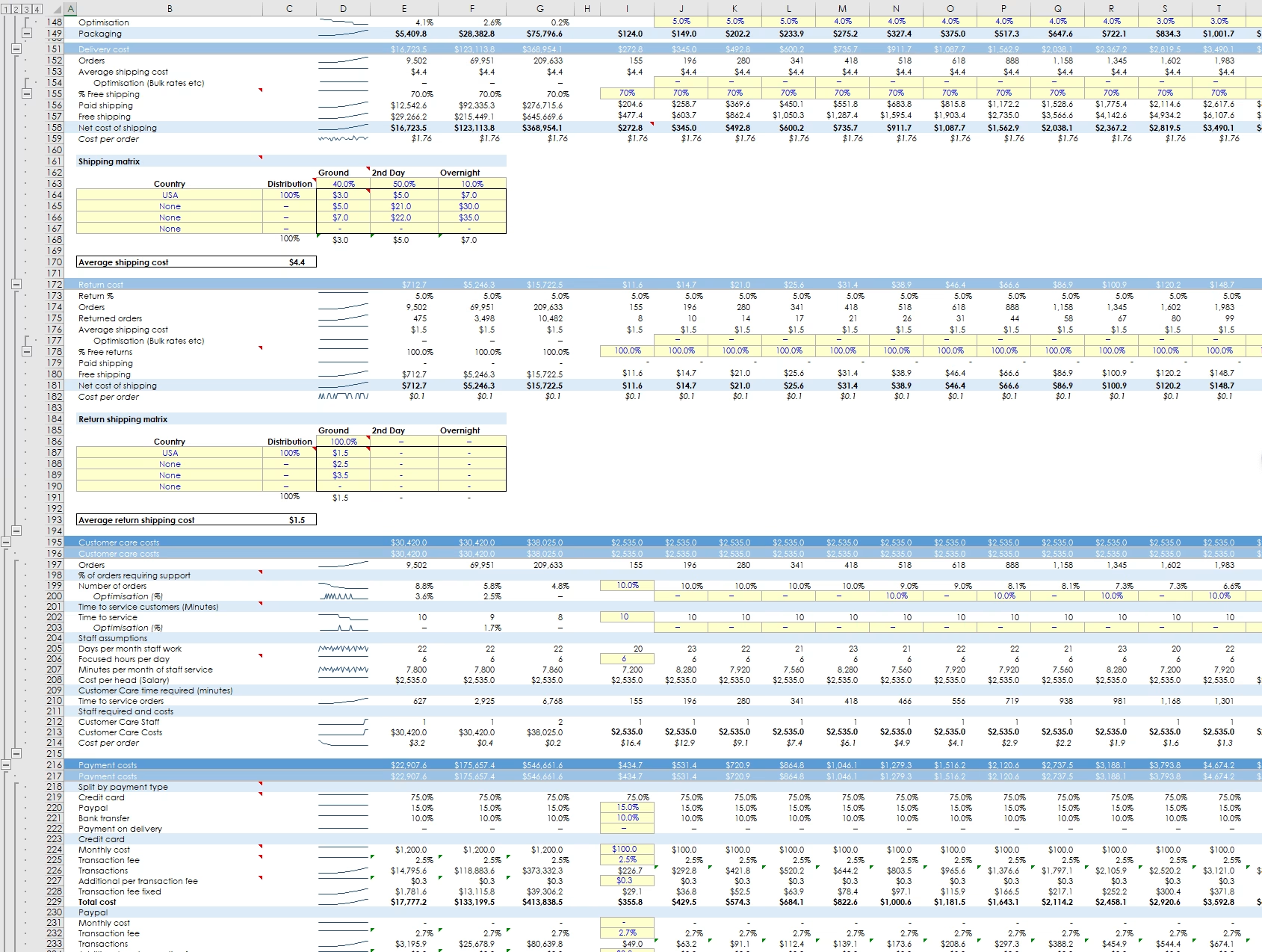
- Warehouse: Calculate your warehouse costs, handling, and packaging
- Delivery and returns: Calculate your weighted average delivery and return costs
- Payment costs: Simply manage your payment costs with credit card, PayPal, bank transfer and payment on delivery. There are two sections for the SME and Enterprise revenue to calculate separately. I assume all SME incurs payment fees but that this can vary for Enterprise in caser clients wire cash and incur the costs themselves
- Customer care: Calculate how many customer care agents you need to serve your customers
- Tech costs: Automate server and email costs. You can build this out if it is a big deal to you. I’ve kept it fairly simple with sections for both SME and Enterprise
- Photography: Two options to deal with photos of your SKU. Do it internally and have photographers on staff and hire models as needed. Or, outsource photos and pay per SKU
Detailed KPIs (84 rows)
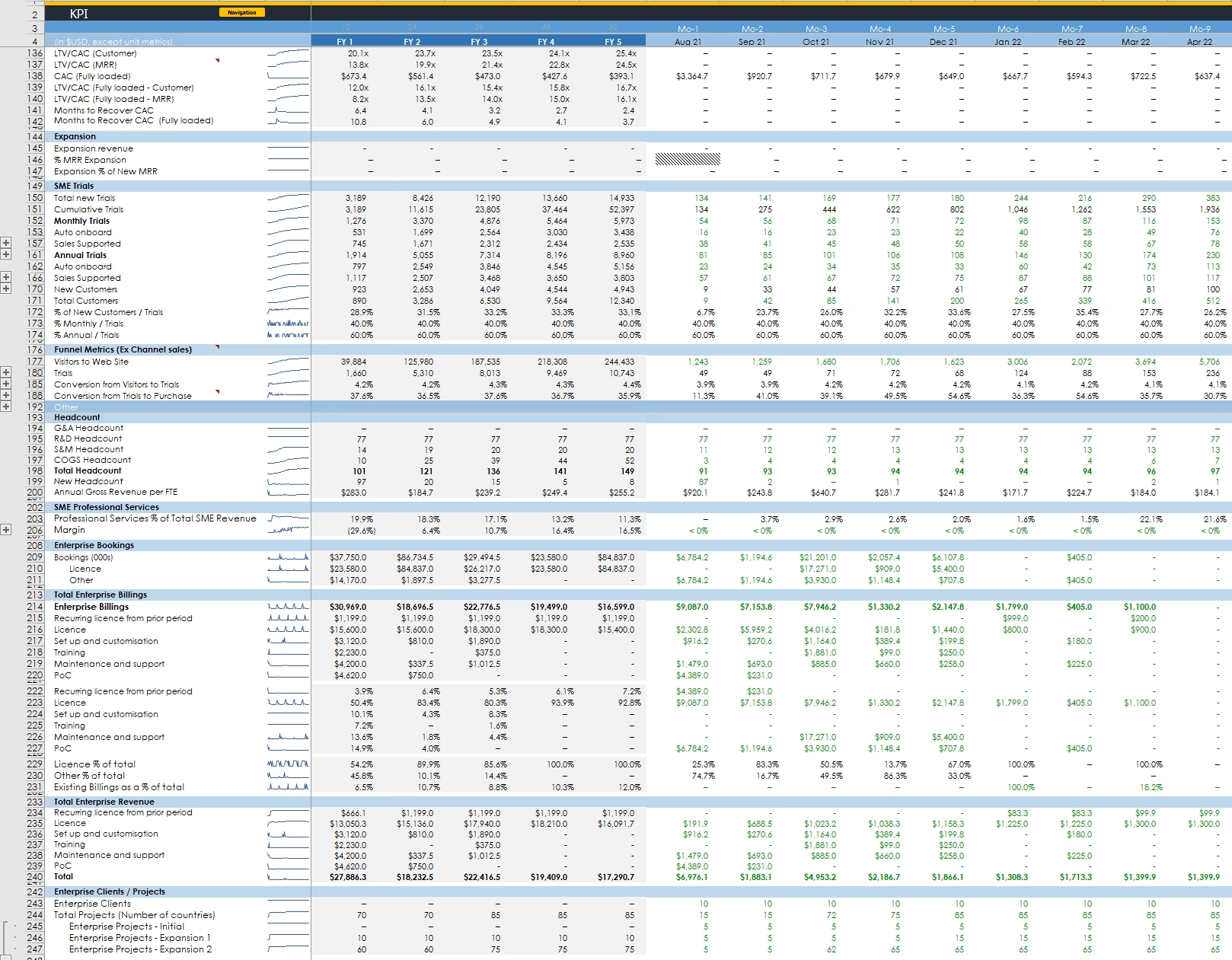
- Detailed KPIs: 84 rows of al the meaningful KPIs I could think of
- Editable: Nothing is linked to this sheet. You can add whatever KPIs you like if you want to
- Lots of details: Track your CAC, CPO, and financial ratios
- Dates: Both monthly and annual KPIs
Runway calculator

- Runway calculations: Understand your gross and net burn over your defined runway (in months). See how many months your planned fundraise will last based on your model forecasts
- Detailed operating expenses: See exactly where money is being spent per department over your runway
- Charts: Pre-made fancy charts to use in your deck if you want
Charts

- Each sheet has charts: I’ve stuck in relevant charts to check trends at the bottom of every sheet
Staff and general costs
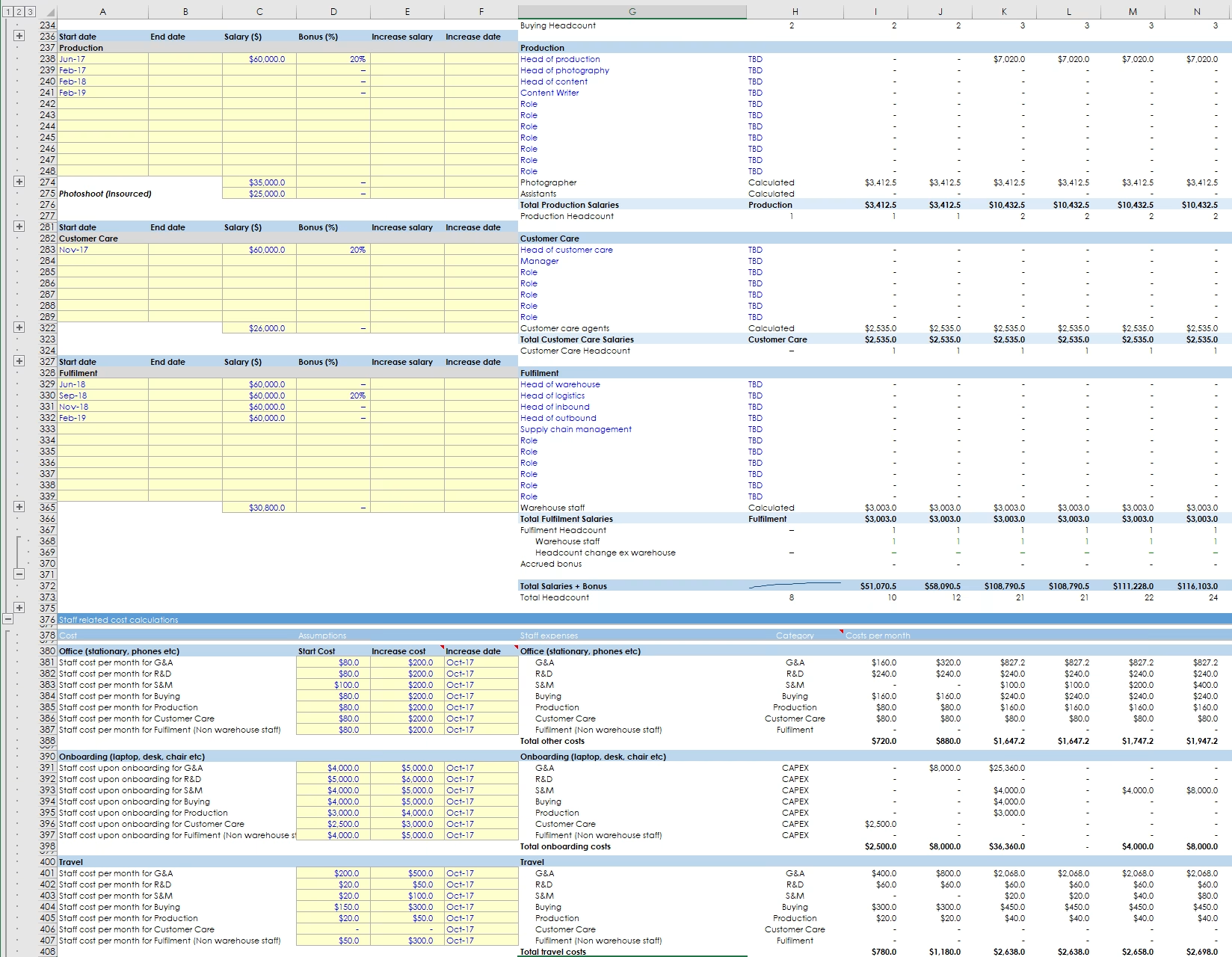
- Automatic forecasting: Customer care, warehouse, photographers, and recruiters are automatically calculated in the Expense sheet and filter in here
- Scale recruitment as you need: Opt to hire recruiters when you hire [5 or more] new people a month so you don’t have to think about how many recruiters you need
- Granular control over hiring: Easily add benefits/tax, choose the date you hire/fire staff and the date you want to increase their salary (say at Series-A)
- Other costs: Quickly add all the ‘other’ costs you need like rent, onboarding costs (e.g. laptops) of staff, and whatever costs you need without having to overthink it. Most costs are calculated by multiplying the average cost be the number of staff you have
Price and cost basis of SKU
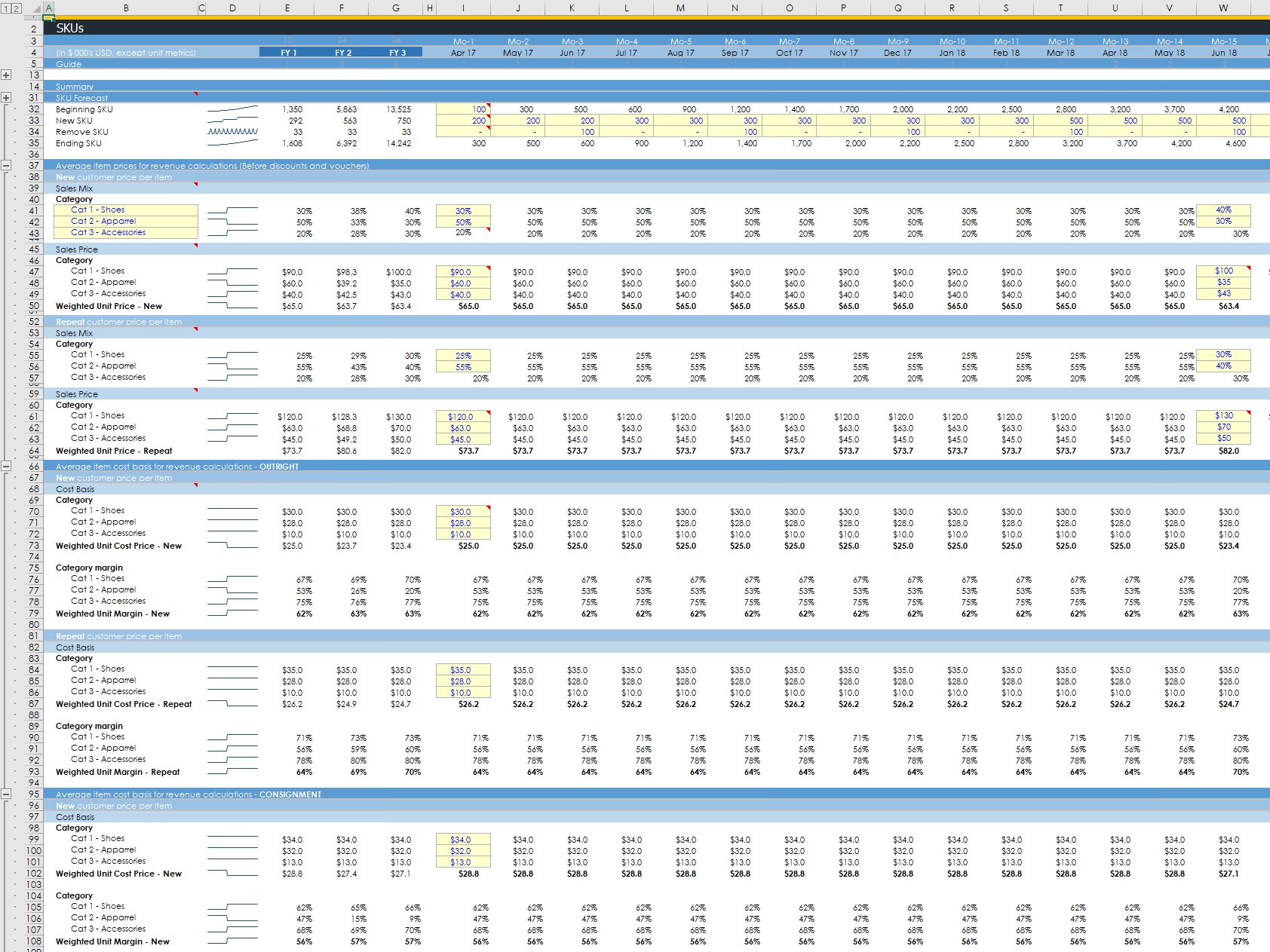
- Forecast SKU: Add and remove SKU depending on the season
- Price vs cost: Model both the cost and sales price in one place to track your gross margin
- Model in 3 categories: Pick three categories (Shoes, Apparel, and Accessories as an example) and use these as your average avatars to make things simpler
- New vs repeat: Model both your first and repeat customers (assuming repeat pay more)
- Outright vs consignment: Have different prices and costs depending on how you get your SKU
Cohort power
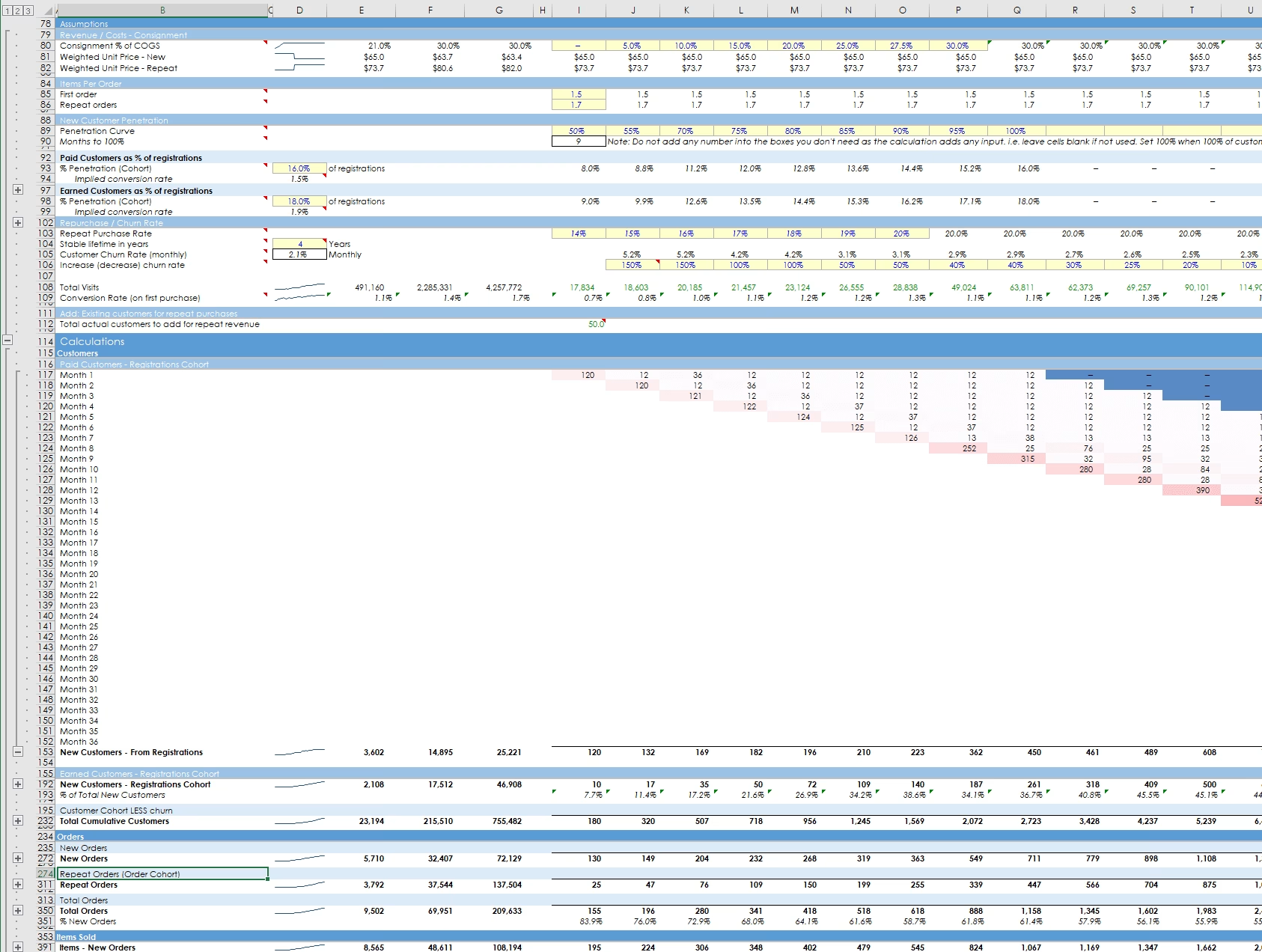
- Adoption curve: Registered customers can adopt over months
- Different adoption: Assume customers adopt faster/slower depending on whether they came from paid/earned channels
- Churn: Adjust for churn
- Granular modelling: The entire model is based on monthly cohorts. This is complicated to build but enables you to do a lot of things you couldn’t without them. There are 1,065 rows!
Complete marketing

- Granular assumptions: Control how traffic turns into registrations by setting conversion rates
- Conversion: Convert your traffic to registration
- 4 marketing sheets: Main marketing sheet gets fed by 3 marketing activity sheets which are all integrated. Paid/organic, email, and blog & social.
- Growing too large?: In built calculations to stop you growing larger than your defined market. Turn it on and off… if you want that level of nerdy- ignore and hide it otherwise!
Paid and organic marketing

- Organic growth: Simply add an organic growth rate of people going to your site
- Paid growth engine: Set your spend per month across up to 6 channels. Set your CPCs to generate traffic to your site. In addition, you can add non-paid spend which doesn’t attribute traffic (one-time campaigns and brand marketing) but will still contribute to your marketing costs and metrics
- Supporting metrics: See supporting conversion rates and metrics to check things make sense
Email marketing
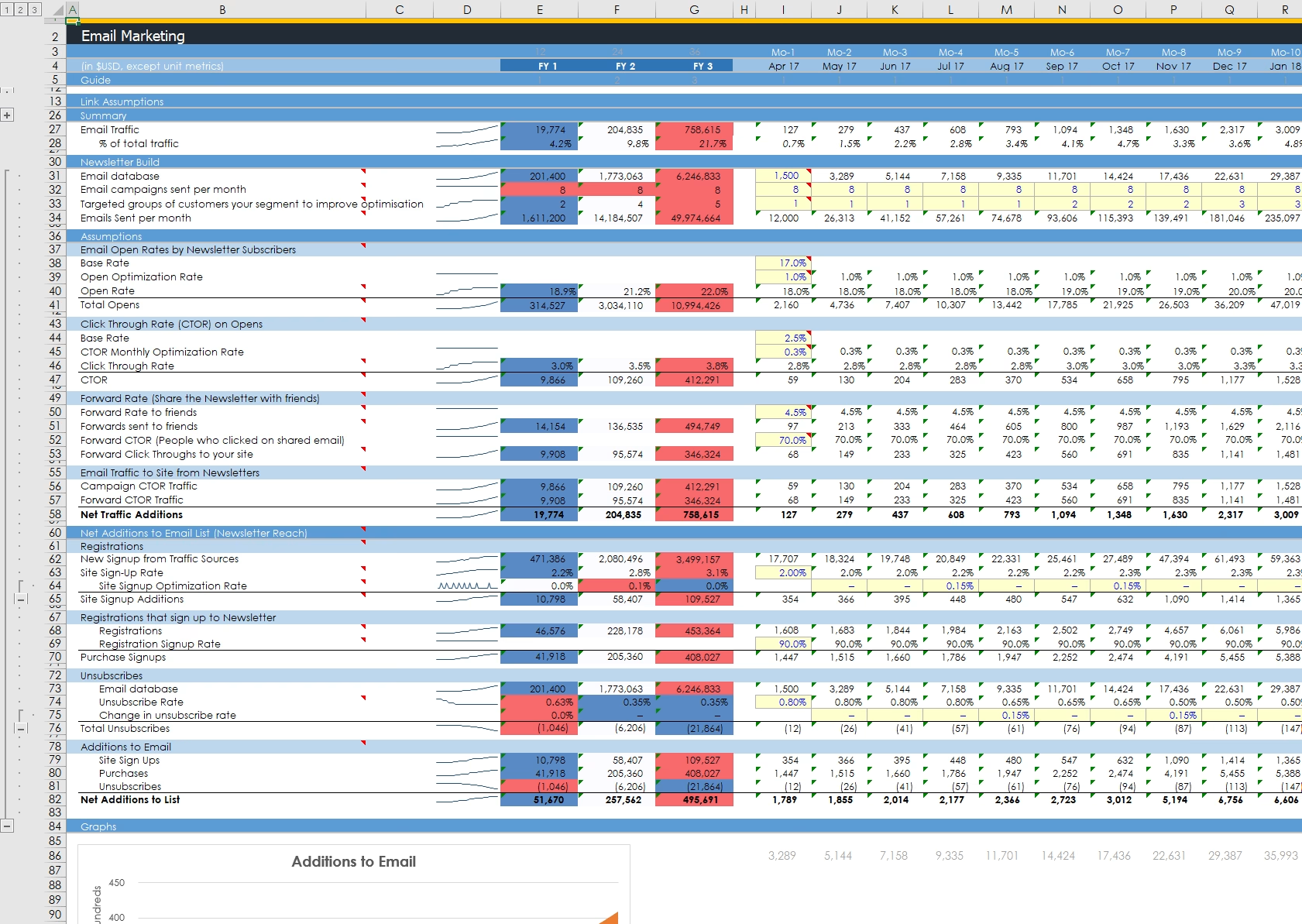
- Earned growth: Support sheets effectively help you to reduce your paid CAC
- Fancy assumptions: There’s a load of assumptions built-in from open rates, click through, forward rates, rebroadcasts, unsubscribes, etc.
Blog & Social

- Earned growth: Support sheets effectively help you to reduce your paid CAC
- PR: Get press, featured in TechCrunch etc and get earned traffic to your site. Simple to follow and understand.
- Social: Build a social following with lots of detailed assumptions as the email sheet. How many times you post, follow CTR, follower shares, rebroadcast rate and CTR, as well as builds to your email list
Comments (2)
-
-
Hey Alex –
Costs are baked in. So you set the cost basis of 3 categories of SKU (eg. shoes, apparel, accessories). There is a line in PL to add a % for import costs on outright inventory (vs consignment).There isn’t an inventory module per se. This can get complicated (Like an entire model) so I would deal with it separately and then add assumptions to the model.
You make assumptions on warehouse, photography (and models), you can have a different cost basis for 1st purchase and repeat customers.
I’m sure that it is possible to add an “inventory sheet” to deal with import logistics, containers from china, bad goods etc, then hijack lines in the PL to reflect them.
If you have built the logic for “inventory” it’s something I can look at adding in. Also, I can customise models for you to meet your needs if you ping me. I can build anything- just depends on your budget.
The models are already a lot to handle for most people, so I have to draw the line somewhere!
Thanks for asking!
Alexander
-
Leave a Reply



Is there inventory in this model?